

Erich Gherbaz


Boosting assessing compliance 4x with a unified Power Apps system
UX Evaluation & Design
Governance, Risk, and Compliance
3 months
2024
Power Apps
Context
As a UX Designer on the Product Team, I worked on...
Simplifying the information architecture of the current system with clear hierarchies.
Improving the overall UX to ensure all related actions were easy to find and appropriately placed.
Overhaul the interface with a modern look and feel.
Focused on making insights actionable by presenting results, comparisons, trends, and alerting users to ageing evaluations needing fresh assessments.
The problem
Difficult to track evaluation progress and insights
Internal compliance officers are responsible for evaluating branch-level adherence to corporate standards across multiple zones and markets. Using a Power Apps–based assessment tool, they record and finalize compliance scores covering areas such as Policies and Procedures, Code Compliance, and operational practices.
How to track evaluation progress
Recurring issues in navigation, visibility, and insight generation were limiting efficiency. Thus, making it difficult to identify which branches required reassessment, and gain a clear view of compliance trends across regions.
Lack of clarity
There aren’t any places where the user can gain a clear view of compliance trends insights across regions.
Evaluation
Understanding the current information architecture
Branch & my task
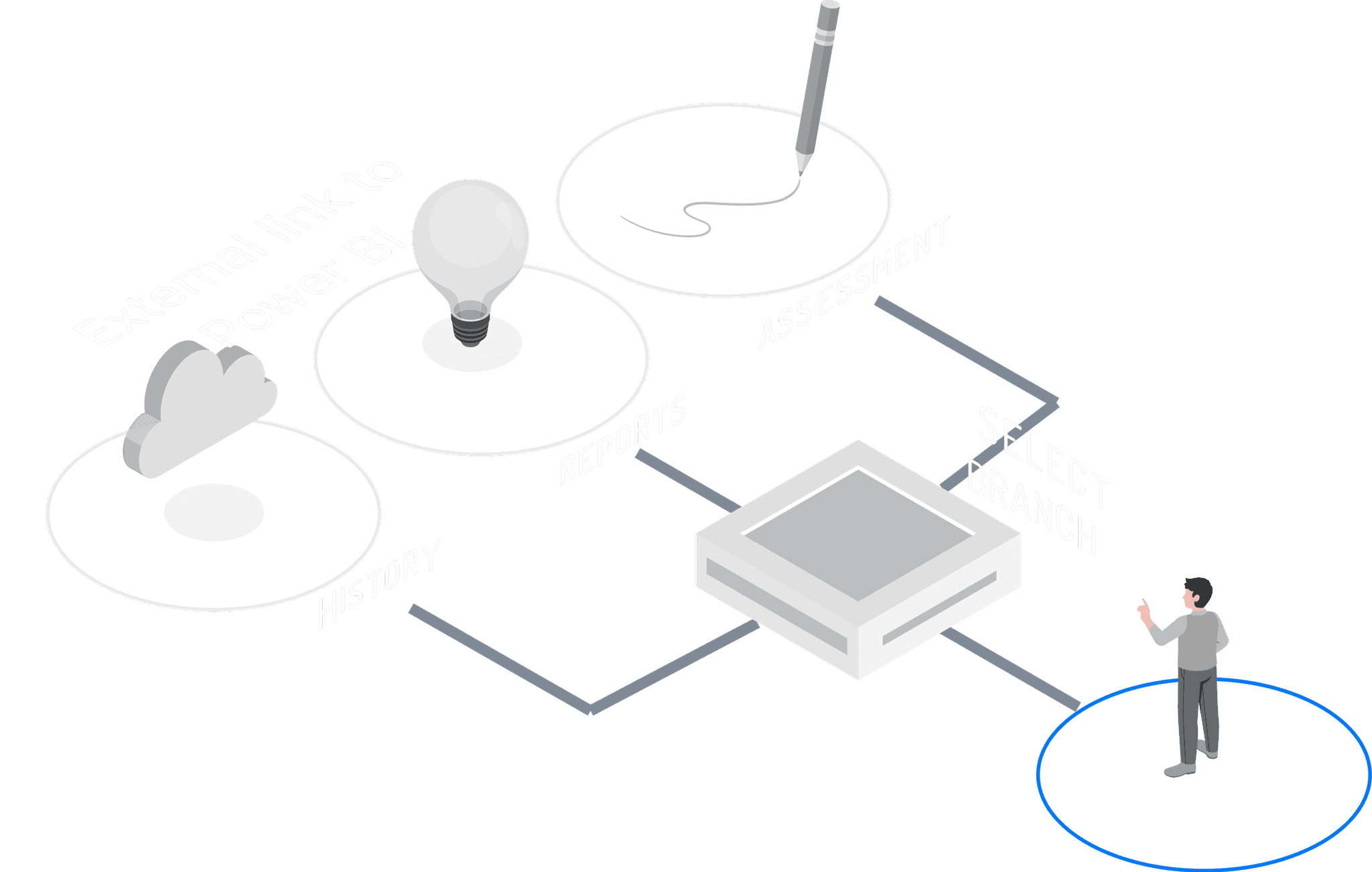
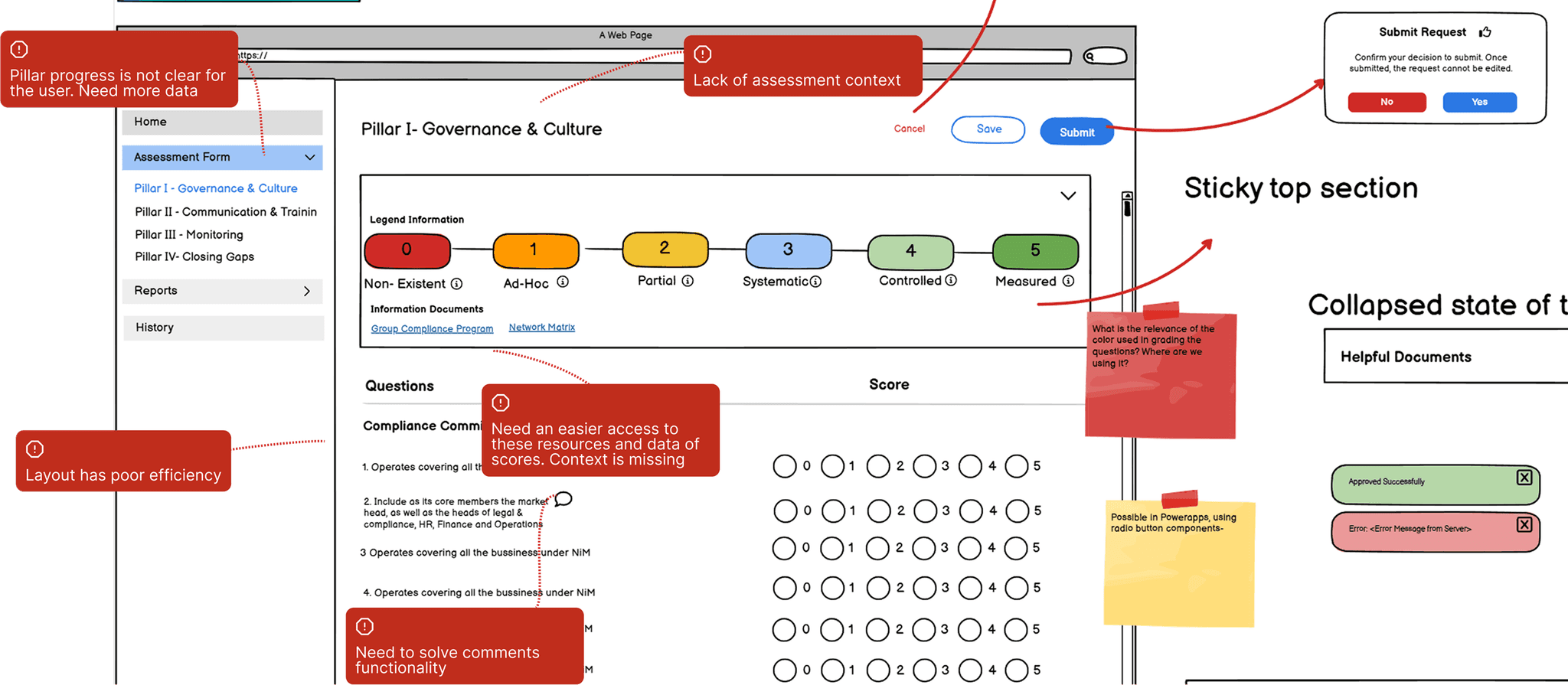
The home screen forces users to work in one market at the time and see only the information for it. As a result, there’s no screen where users can be informed as to which markets need to be assessed.
Reports, all or nothing
There’s no ability for users to see reports or analytics per specific markets or regions. Instead, users have to visualize all the information together.
Comments section
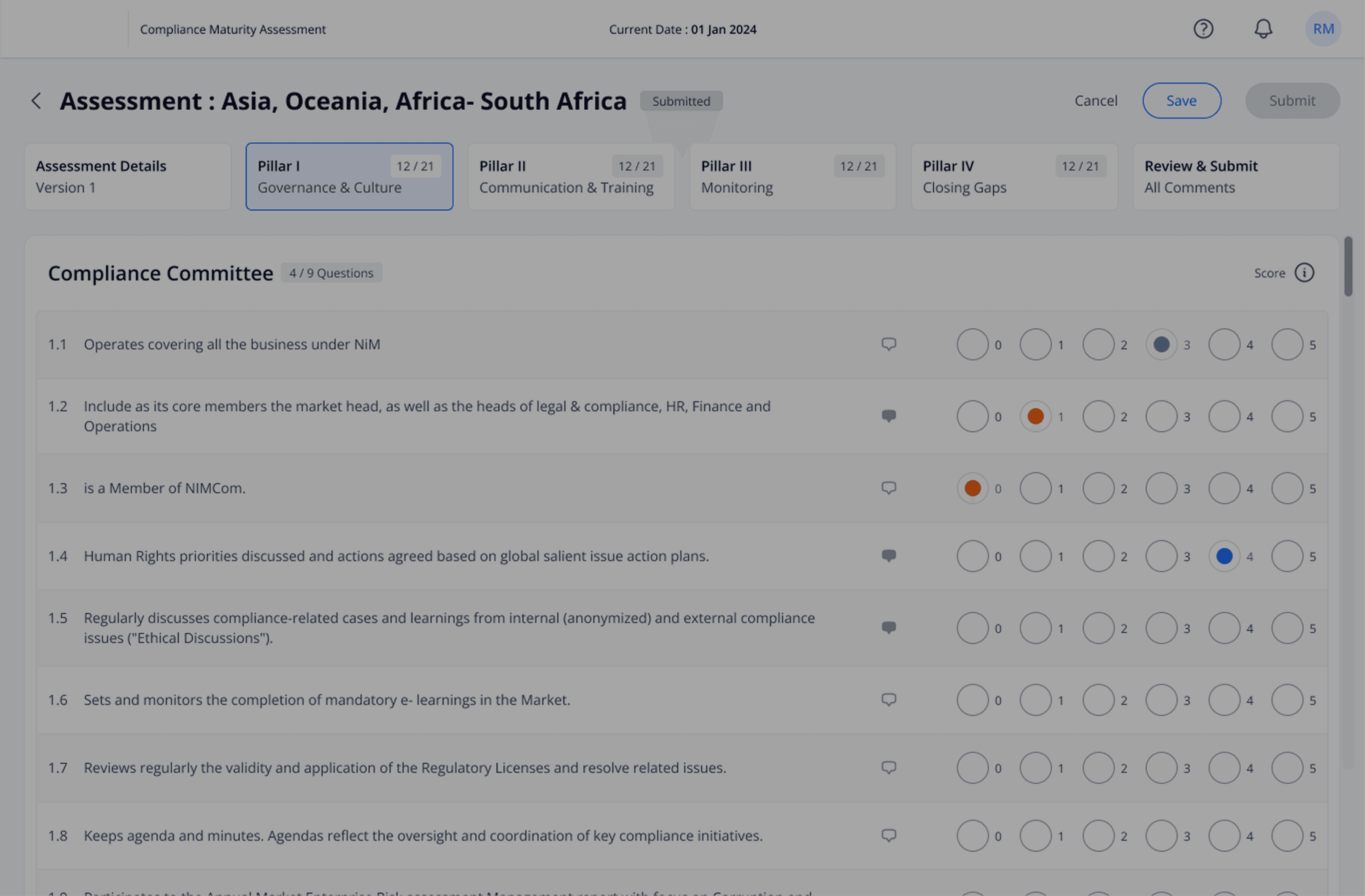
Comments in the assessments are made per question. However, in order to make a comment for a question, users need to go to a different screen where they can’t see the question.
Assessment
A deep dive into the issues of the assessment form
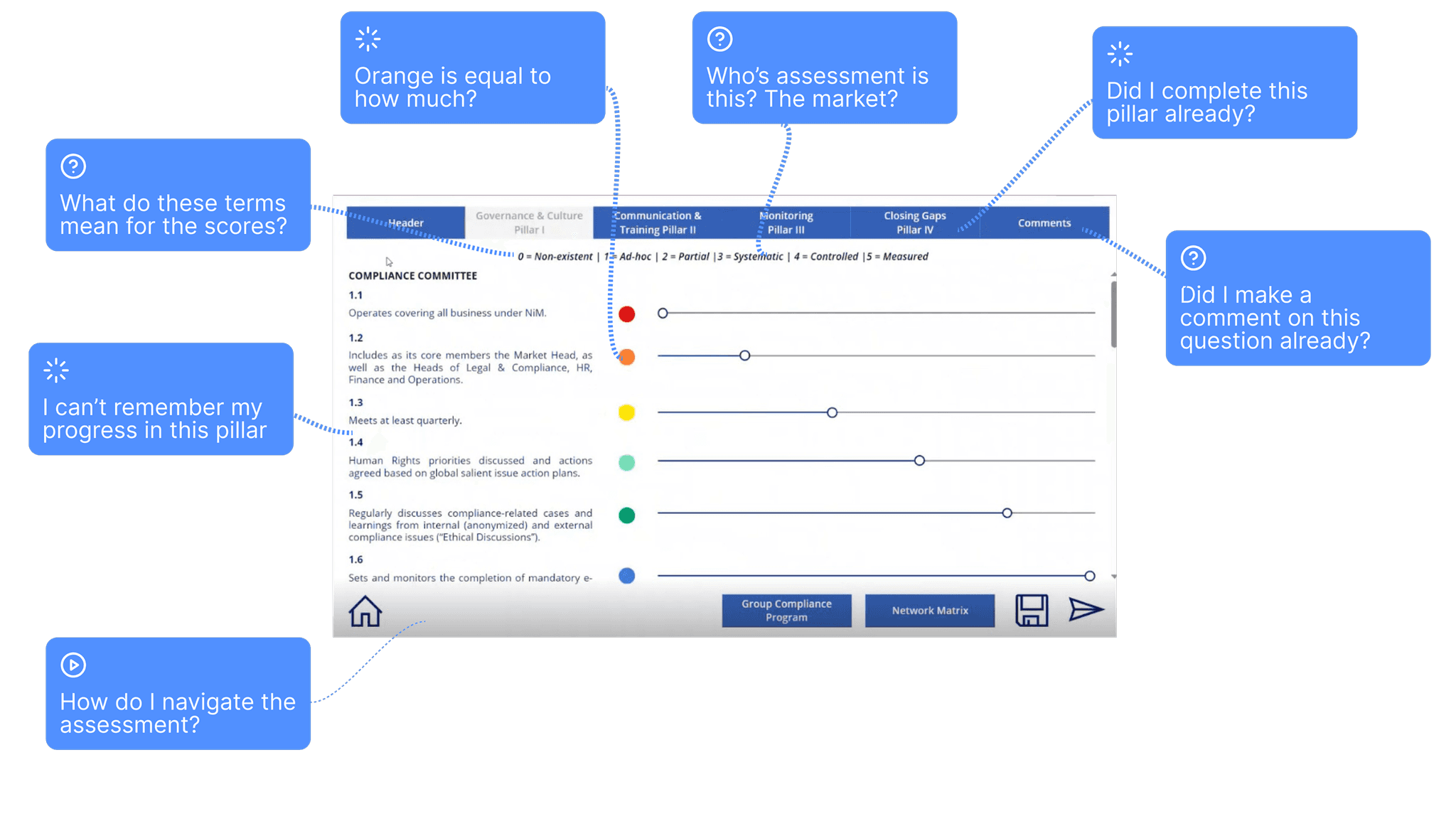
I initiated this task by making a deep analysis of the application’s current functionalities, Information Architecture, and overall User Experience. By using the ‘Six Minds’ framework + Heuristic Evaluation, I studied its cognitive, emotional, memorable, visual and attention, decision making, wayfinding, and language levels.
Process
Ideate → Improve → Redesign
We started with a functional tool, but the functionalities and look were outdated for modern UX/UI design.
My first step was to re-work the Information Architecture. As observed, the main difficulty was the lack of a central point where users could find detailed, task oriented information. I proposed two new screens:
A home screen, where users could find their tasks and could have meaningful insights.
A place of action, where users could observe and determine which branch/market required a new assessment.
It was an iterative process (low-fi for exploration, hi-fi for clarity) which made collaboration smoother, accelerated engineering delivery, and ensured user feedback could directly shape improvements.
I learned that while in most common tools design has a great range of freedom when coming up with solutions, but on Power App design, the designer needs to work closely with engineers to come up with feasible solutions.
Iterations
Re-worked Information Architecture
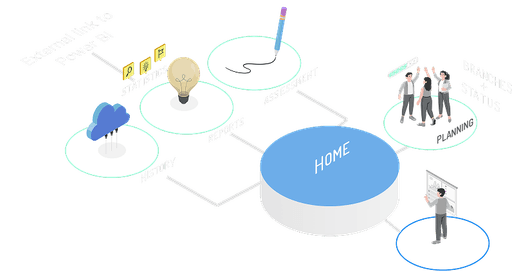
Home + Planning screens
Give users a screen where they can see their tasks and analytics of both their work and the markets. Additionally, give them a screen where they can see which markets require attention according to their assessment rules.
Improved display analytics
Allow users to filter the data of the assessments by market or region, see them in a single place, compare past to current results to see what has improved over time.
Comments improved
Give users the ability to add comments with the question, but also see them in a common place. This way, users can be make better informed decisions regarding their work.
Iterations 2
Elevating the assessment form’s UX
As we mentioned before, the assessment itself faced several issues, such as navigation, disjointed actions, lack of insights, and comments visibility.
Through several iterations, I pushed to improve the user experience as much as we could within the boundaries of Power Apps.
Solution
Streamlining complex workflows
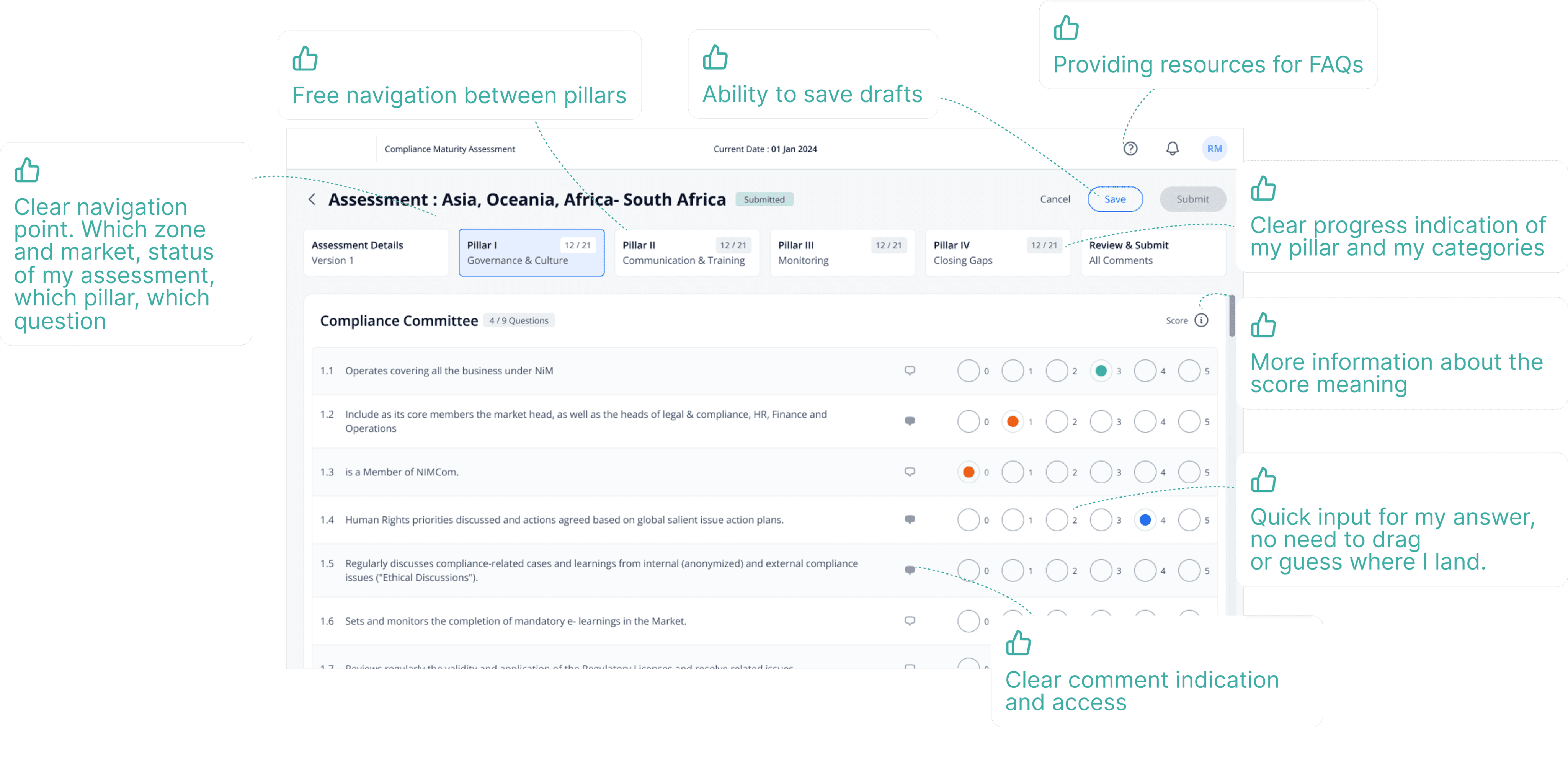
My final designs reflect what I learned from previous iterations and what I heard from the different teams. We needed an easier, more clear and structured way to design the assessment form.
Key design decisions
Finding appropriate solutions
Enhanced Navigation & Hierarchy
Implemented a crisp informational architecture and a new design system with clear hierarchies.
Unified Actions
Reimagined the UX to ensure all related actions were easy to find and appropriately placed, simplifying workflow usage and improving efficiency
Modernized Interface
Designed for large screen usage, overhauled with a modern look and feel, and introduced user-friendly components, reducing clicks needed for the scoring system.
Holistic Workflow Integration
Designed an end-to-end solution from assignment to progress tracking and post submission insights, including light gamification to enhance user engagement and efficiency.

Actionable Insights
Focused on making insights actionable by presenting results, comparisons, trends, and alerting users to ageing evaluations needing fresh assessments.
Impact
A before and after
Achieved a 4x improvement in click efficiency.
3x improvement in back and forth email communication.
Unified assessment and reporting helped streamline processes, with users reporting a significant increase in satisfaction with the new look and feel of the application.
Learnings
Designing for Power Apps
Due to the limitations of Power App applications, this was one of the projects in which I had to work the closest with Engineers. Working with them helped me understand more clearly how engineers view the same tasks and how easily feasibility can be compromised.
This also allowed me to learn how to communicate my ideas more clearly for a more technical audience, as well as to learn from them technical variables that need to be considered.
In short, this project gave me the opportunity to learn how to collaborate with engineers with more ease.
Find me also on